Showing posts with label UI design. Show all posts

Friday, June 10, 2011

Use These Mockups: Lots of Design Patterns in Balsamiq Mockups (BMML) format

For those of you that use Balsamiq Mockups, here are a bunch of templates I created that you might find handy.
Download them all in one ZIP file (90KB).

I find myself re-using many of these elements when I design applications (especially the boring/tedious/must-have features, like Forgot Password, Sign In, 404 page). Enjoy!

The following mockups are included in the ZIP file:

Home Pages
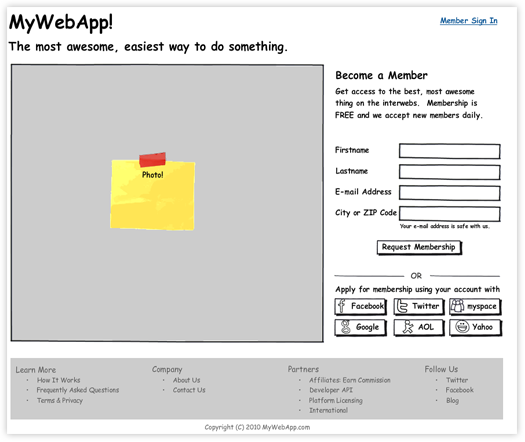
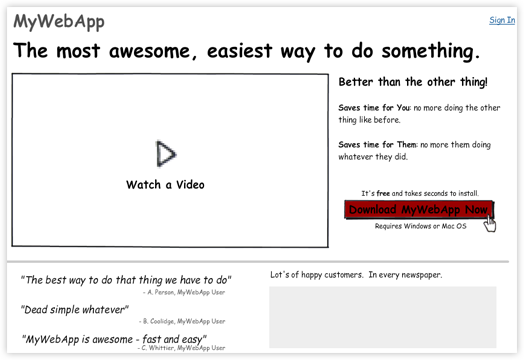
Home Page, Members Only Mockup
Home Page, Downloadable Product Mockup
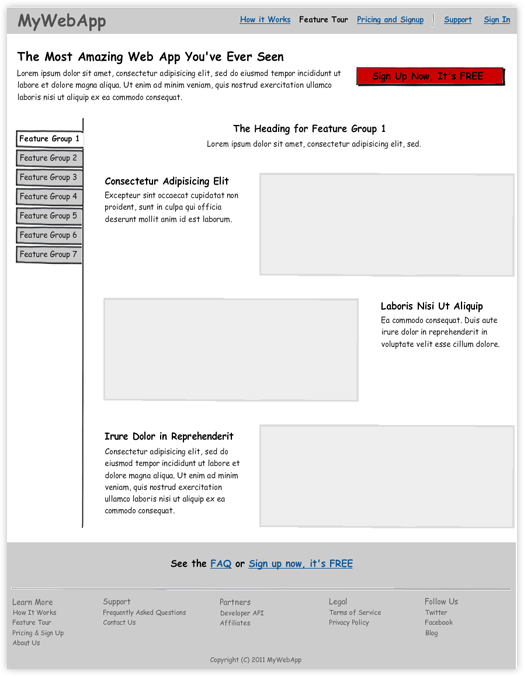
Feature Tour
Feature Tour Mockup
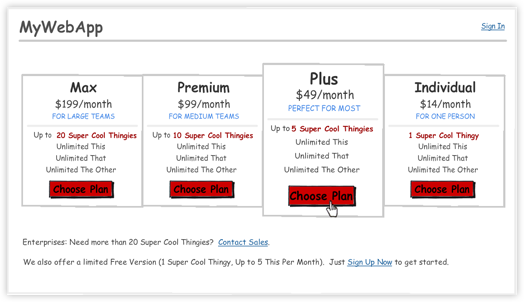
Pricing, Upgrade, Downgrade
Pricing Page Mockup
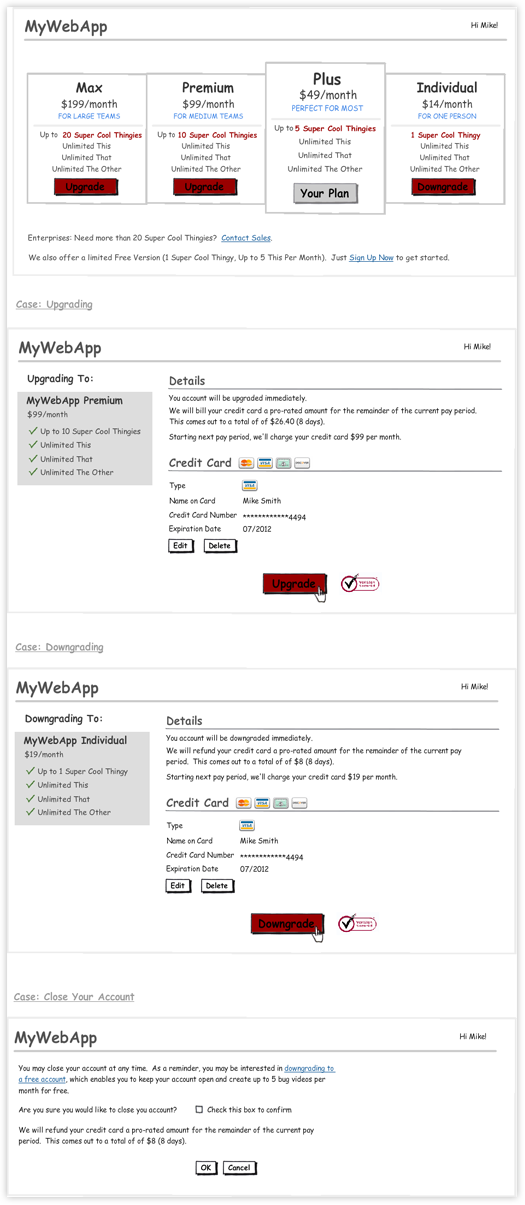
Upgrade & Downgrade Mockup
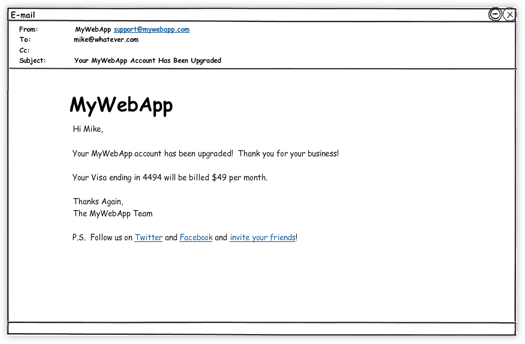
Upgrade "Thank You" E-mail Mockup
Read-Only List of Items
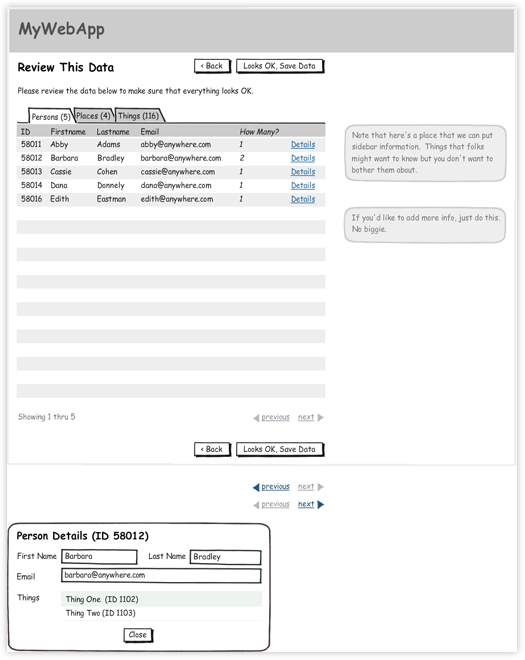
Read Only List of Items Mockup
Editable List of Items
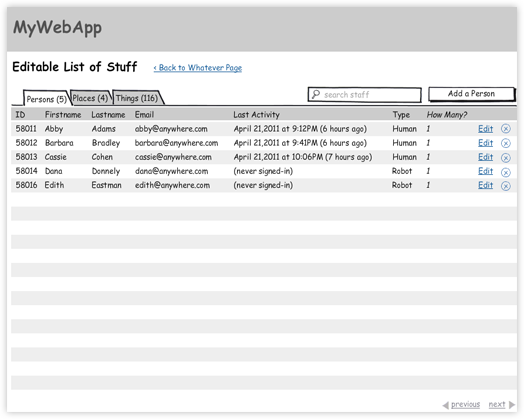
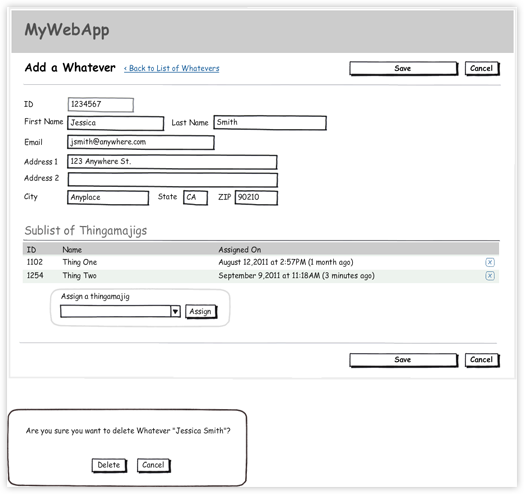
Editable List of Items Mockup
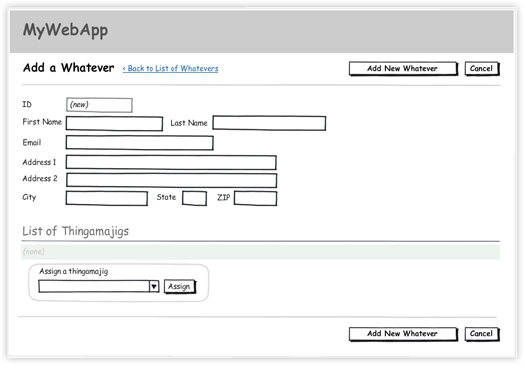
Add Item Mockup
Edit Item and Delete Item Mockup

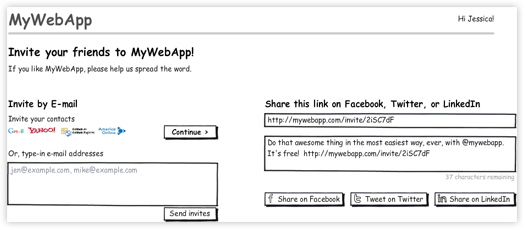
Invite Friends
Invite Friends Mockup
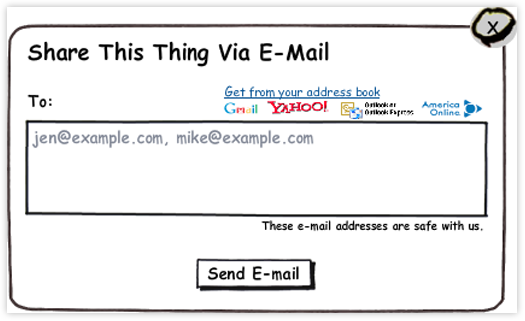
Invite Friends Via E-mail Mockup (Popup)

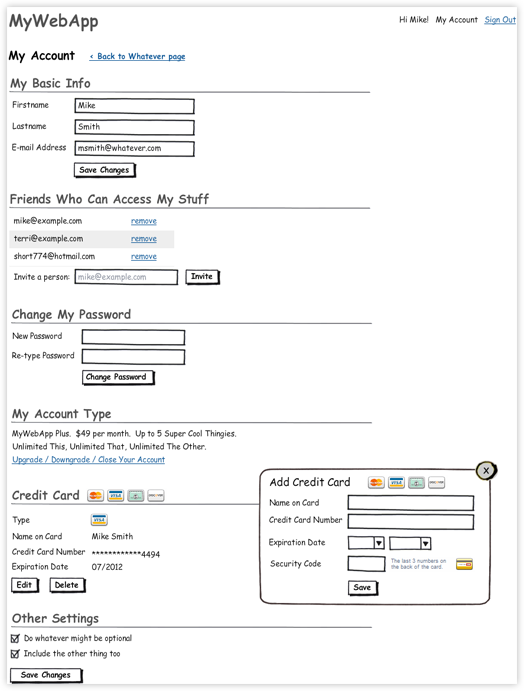
Settings / My Account Page
Settings / My Account Page Mockup
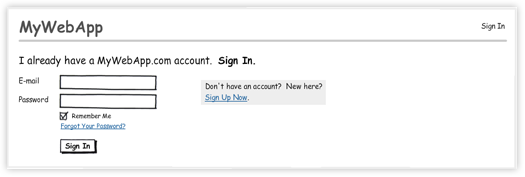
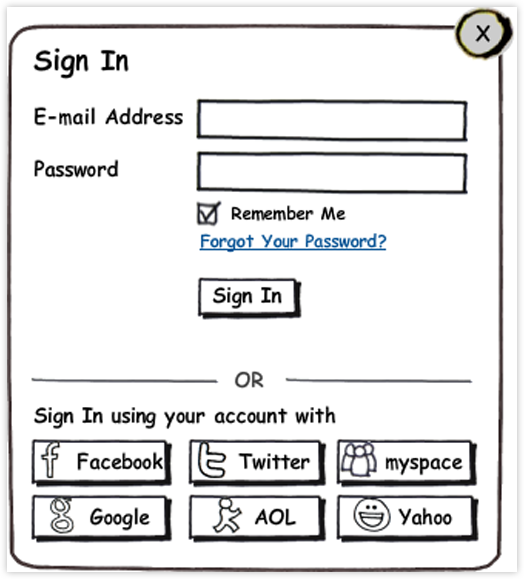
Sign In
Sign In Page Mockup

Sign In Popup Mockup
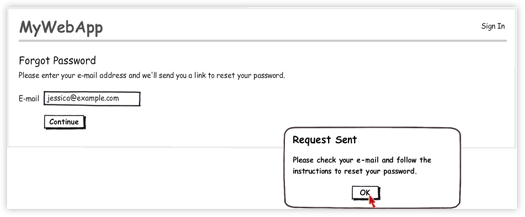
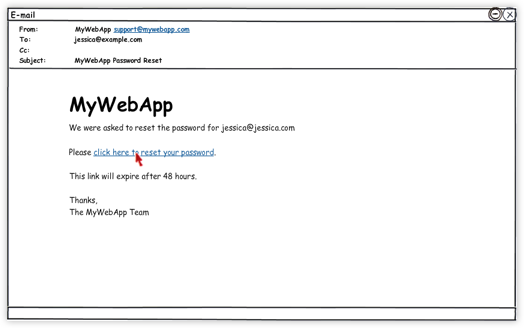
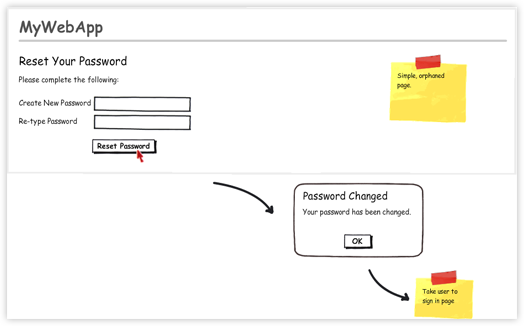
Forgot Password Process
Forgot Password Page Mockup
Password Reset Email Mockup
Reset Password Page Mockup
Miscellaneous
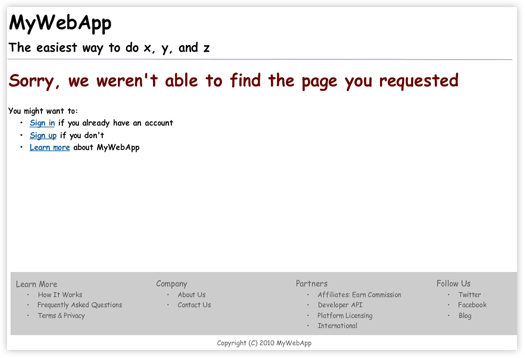
404 Page Mockup
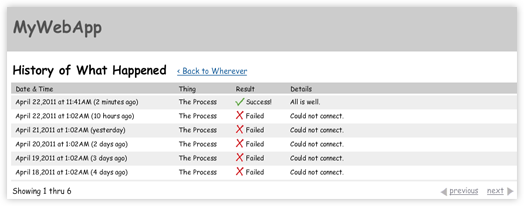
Log / History Page Mockup
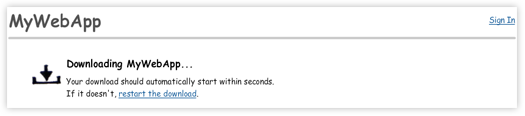
Downloading Page Mockup
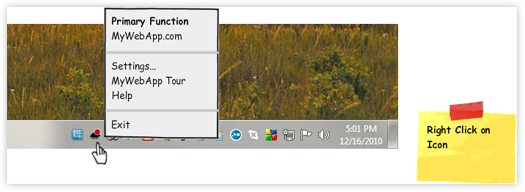
Windows System Tray Mockup
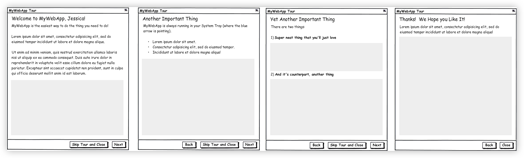
Windows Tour Mockup

Tuesday, March 22, 2011

Few Firefox 4 UI Complaints

Like most of the planet, today I downloaded Firefox 4 to check it out. I've been a happy Chrome user for a while now (and before that, Firefox).

Upon first glance, I've got a handful of UI complaints. Things that could obviously and easily be improved, I think.
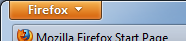
  1. The "Title Button". Why orange? Why so prominent? Why so high-contrast?

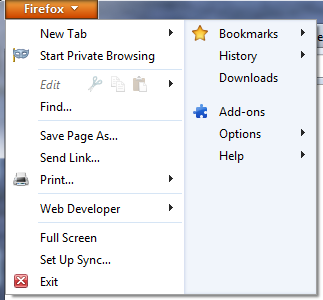
  2. Clicking The "Title Button". Ohh my. This is a UI abomination. OK, maybe it's not that bad, but it's really bad. The groupings are unclear. Why two columns? What is the difference between items in the left column and the right column? "New Tab" has an arrow indicating that mousing-over it will reveal more stuff...or, is it pointing to the right column? Edit is italicized for fun! The Cut icon (scissors) has to be the worst Cut icon I've ever seen. Almost doesn't look like scissors! The Print icon...


  3. The Tabs. I see now that Chrome has spoiled me with a really nice tab design. These Firefox 4 tabs are so blocky. The vertical lines separating the tabs are too bold. The fact that both sides of each tab intersect with the horizontal line beneath them is too harsh. Chrome, by contrast, has a neat curved tab design, where only one side of the tab (except for the leftmost tab) intersects with the line.


    Chrome Tabs: Nice


    Firefox 4 Tabs: Ugly


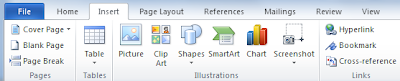
    Microsoft Word's tab design, for instance, shows an interesting way to improve upon Firefox 4: by hiding the border of the not-in-focus tabs.  I guess this might not work well in Firefox, given the design of the Bookmarks bar.

  4. The Buttons and General "3d-ness". The Home Button. The Bookmarks Button. The Firebug button (if you use this addon). They're light up-top, dark towards bottom. Have a slight shadow. Rounded corners. They look nice, but these details just aren't necessary. Too many lines. Accentuates the whitespace (the area in between buttons) too much. Again, see Chrome for contrast (apparently even the Chrome logo is going flat)

Aza, where were you!?